DPS Mobile Data Terminal
The Mobile Data Terminal, commonly referred to as the MDT, is the primary records and information platform used by the Department of Public Safety. The MDT connects citizen records, incident reports, warrants, court cases, vehicle registrations, firearm records, evidence, dispatch calls, department personnel, and other operational information through one centralized system.This page provides a general overview of the MDT. Access to individual records, pages, and actions is controlled by department, certification, assignment, and rank.
System Overview
Citizen & Property Records
Search citizen profiles, licenses, criminal records, registered vehicles, firearms, and property ownership.
Reports & Investigations
Create incidents, investigative reports, arrest documentation, warrants, court records, and other official documents.
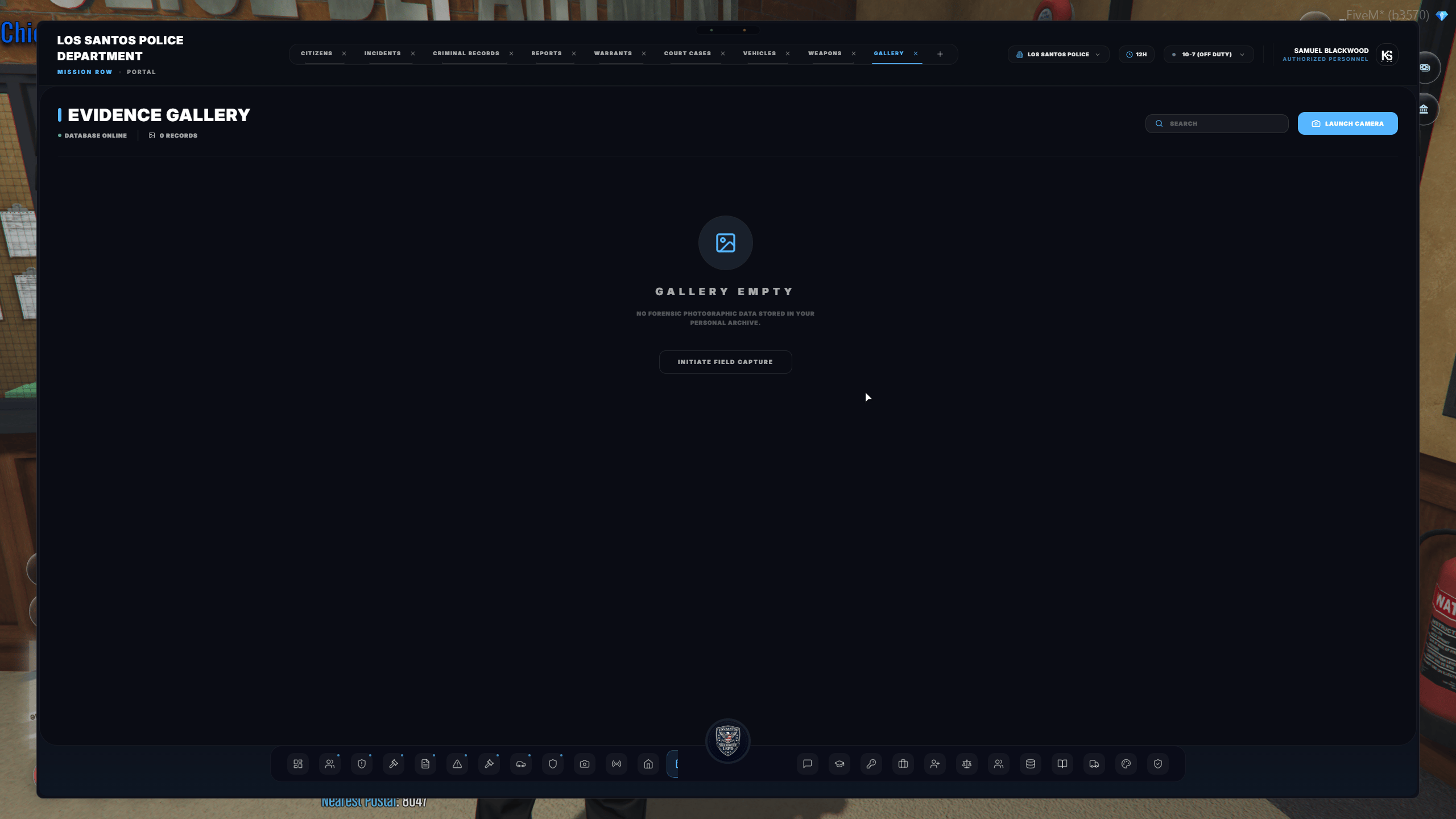
Evidence & Surveillance
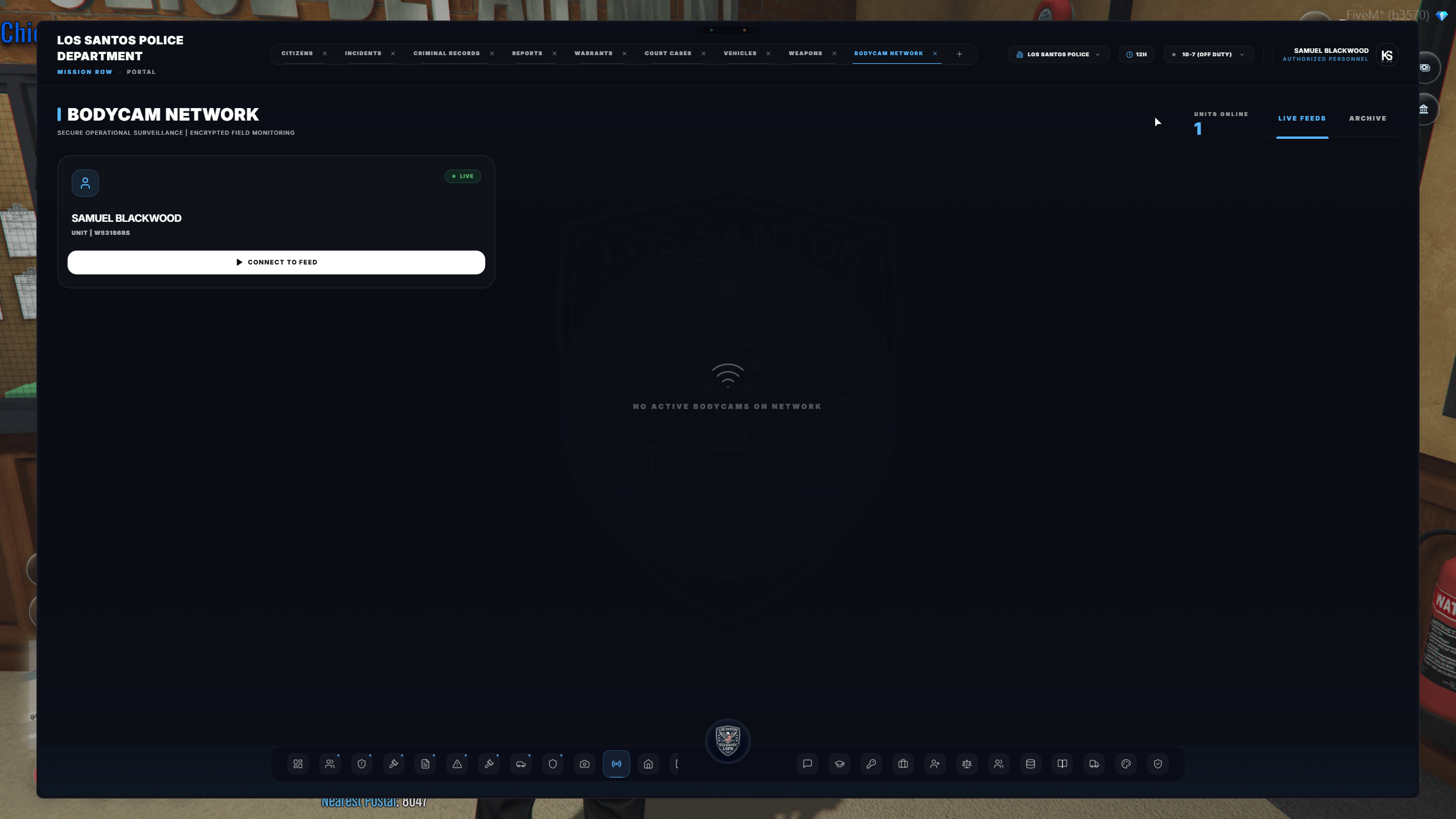
Store visual evidence, review linked gallery items, and access authorized CCTV or officer bodycam networks.
Dispatch & Field Operations
Review active calls, monitor available units, receive dispatch notifications, and coordinate emergency responses.
Feature Breakdown
Citizen Profiles
Citizen Profiles
Citizen profiles provide authorized personnel with a centralized record of an individual’s information.Depending on permissions, a profile may include:
- Personal identifying information
- Current photograph or mugshot
- Driver, weapon, and pilot license statuses
- Active warnings or profile flags
- Criminal history
- Associated incidents and reports
- Active or historical warrants
- Registered vehicles
- Registered firearms
- Property ownership
- Other department-relevant records
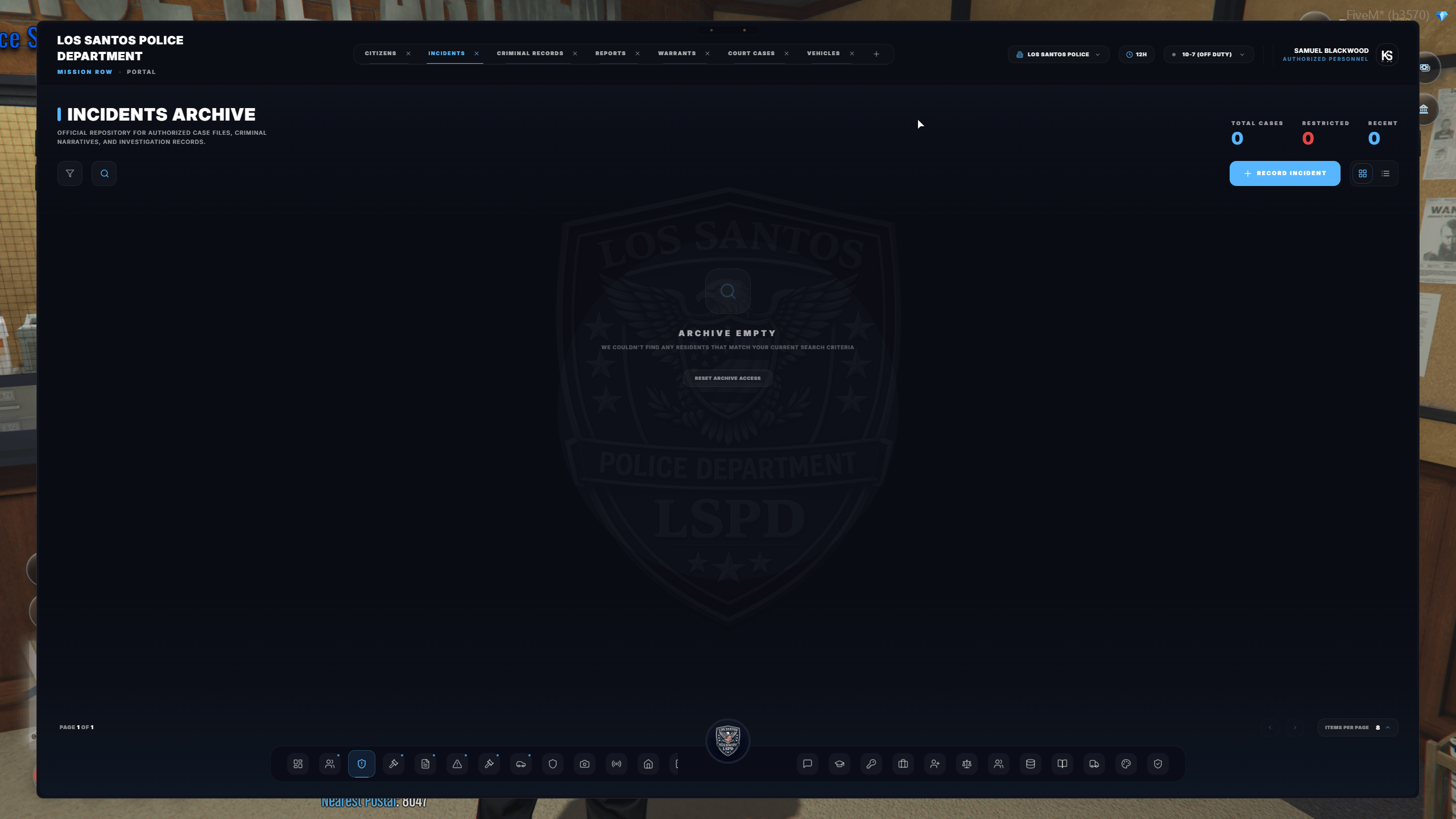
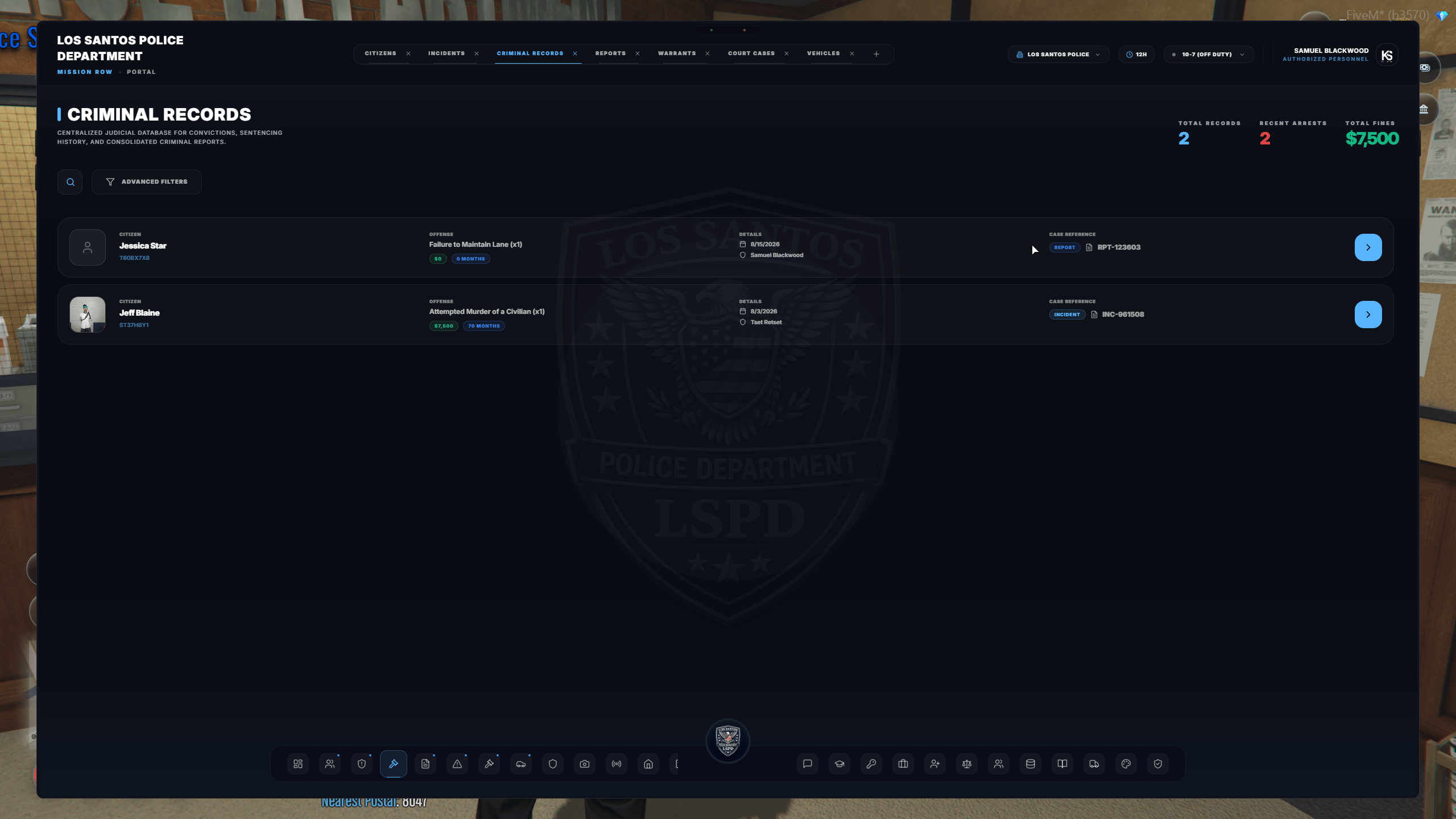
Incidents & Criminal Records
Incidents & Criminal Records
Incidents are used to document arrests, investigations, citations, and other law enforcement activity.Officers may:
- Write a complete incident narrative
- Attach multiple involved persons
- Identify suspects, victims, and witnesses
- Add applicable criminal charges
- Calculate fines and recommended sentencing
- Document evidence locations
- Attach images from the evidence gallery
- Connect the incident to warrants or court cases
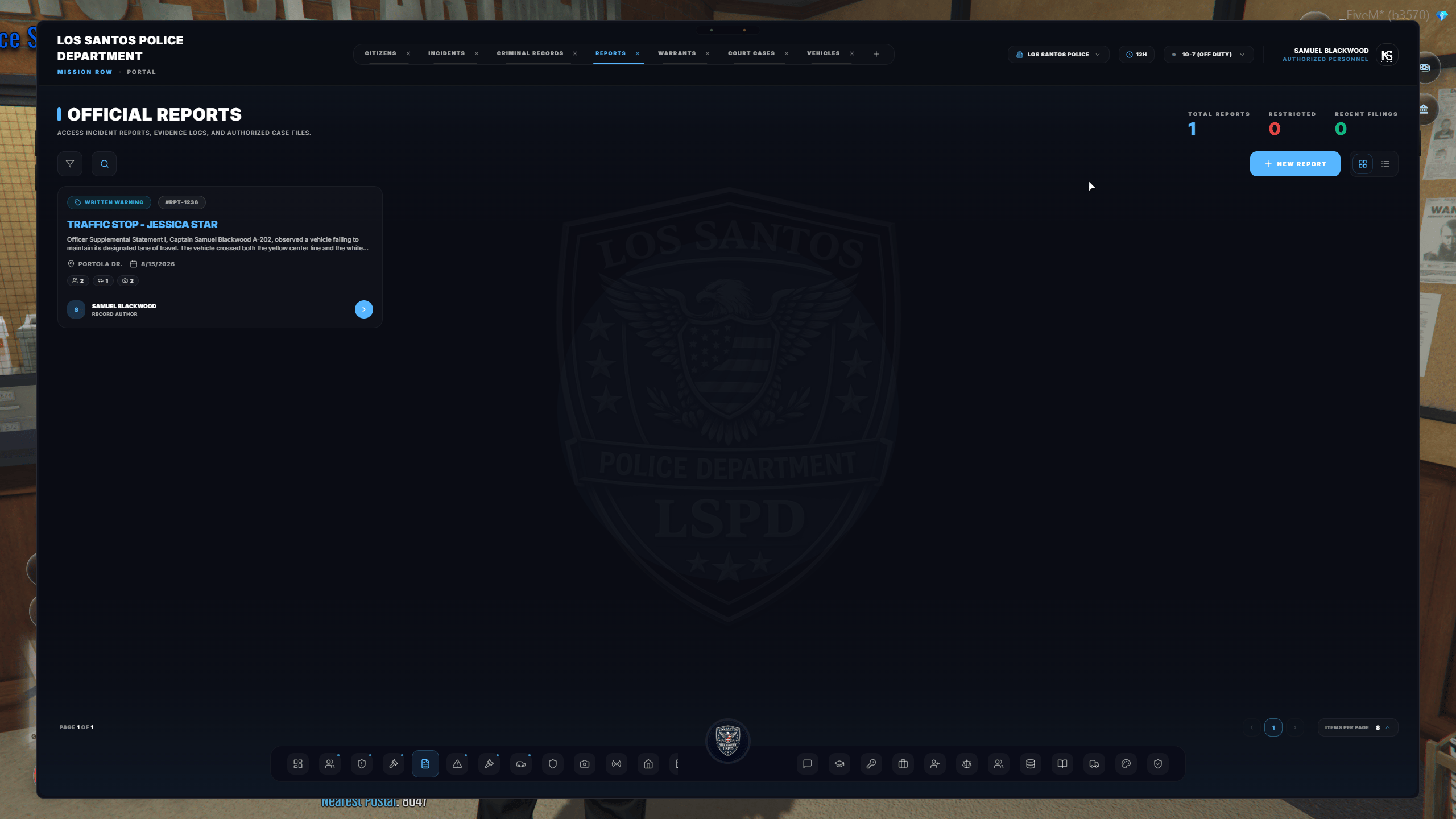
Reports
Reports
The report system provides a structured document editor for department records that do not belong within a standard incident.Reports may be used for:
- Investigative case files
- Witness statements
- Evidence reports
- Stolen-property reports
- Search-warrant affidavits
- Internal memorandums
- Intelligence reports
- Arrest or supplemental documentation
- Other department-approved records
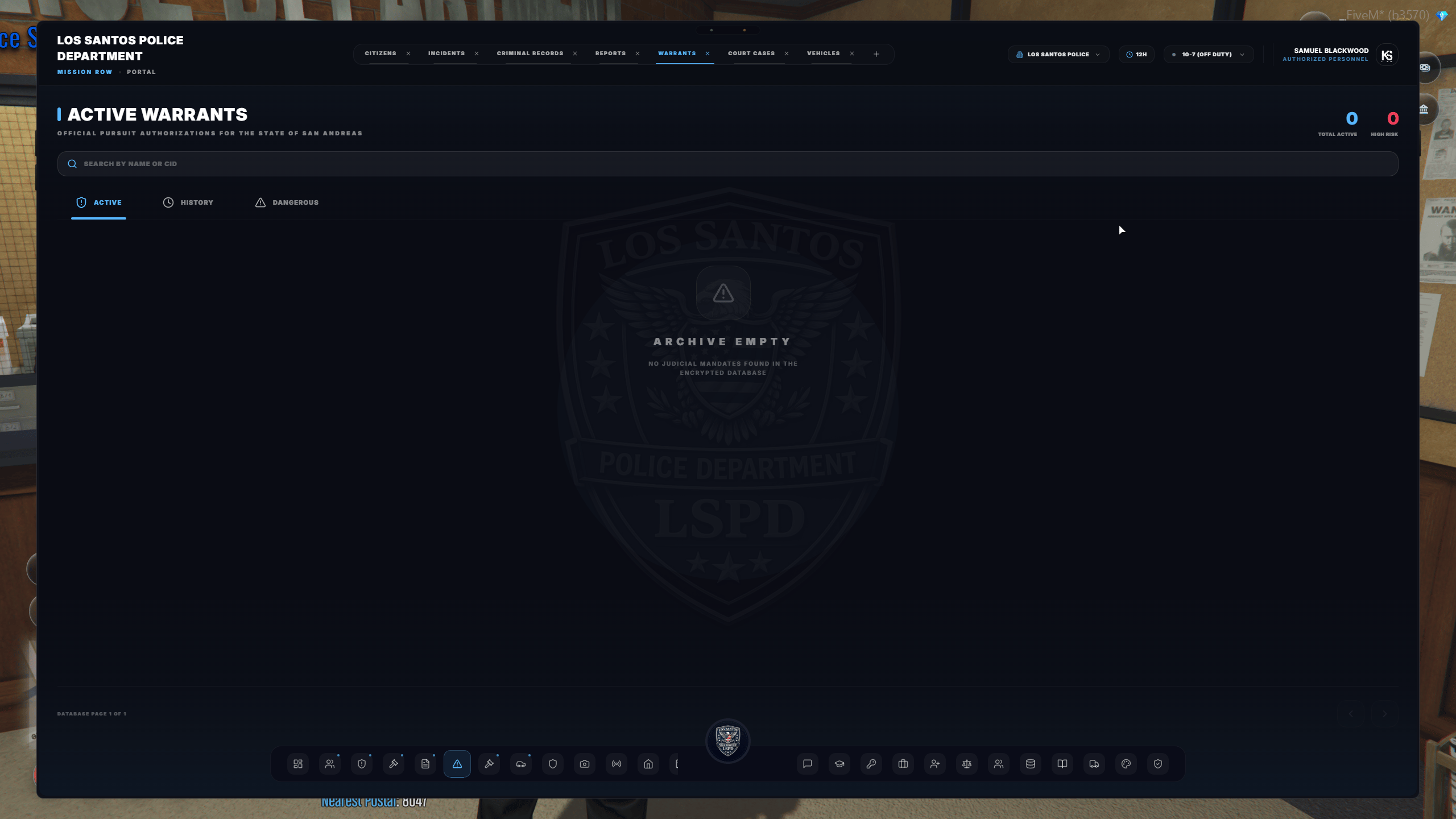
Warrants & Court Cases
Warrants & Court Cases
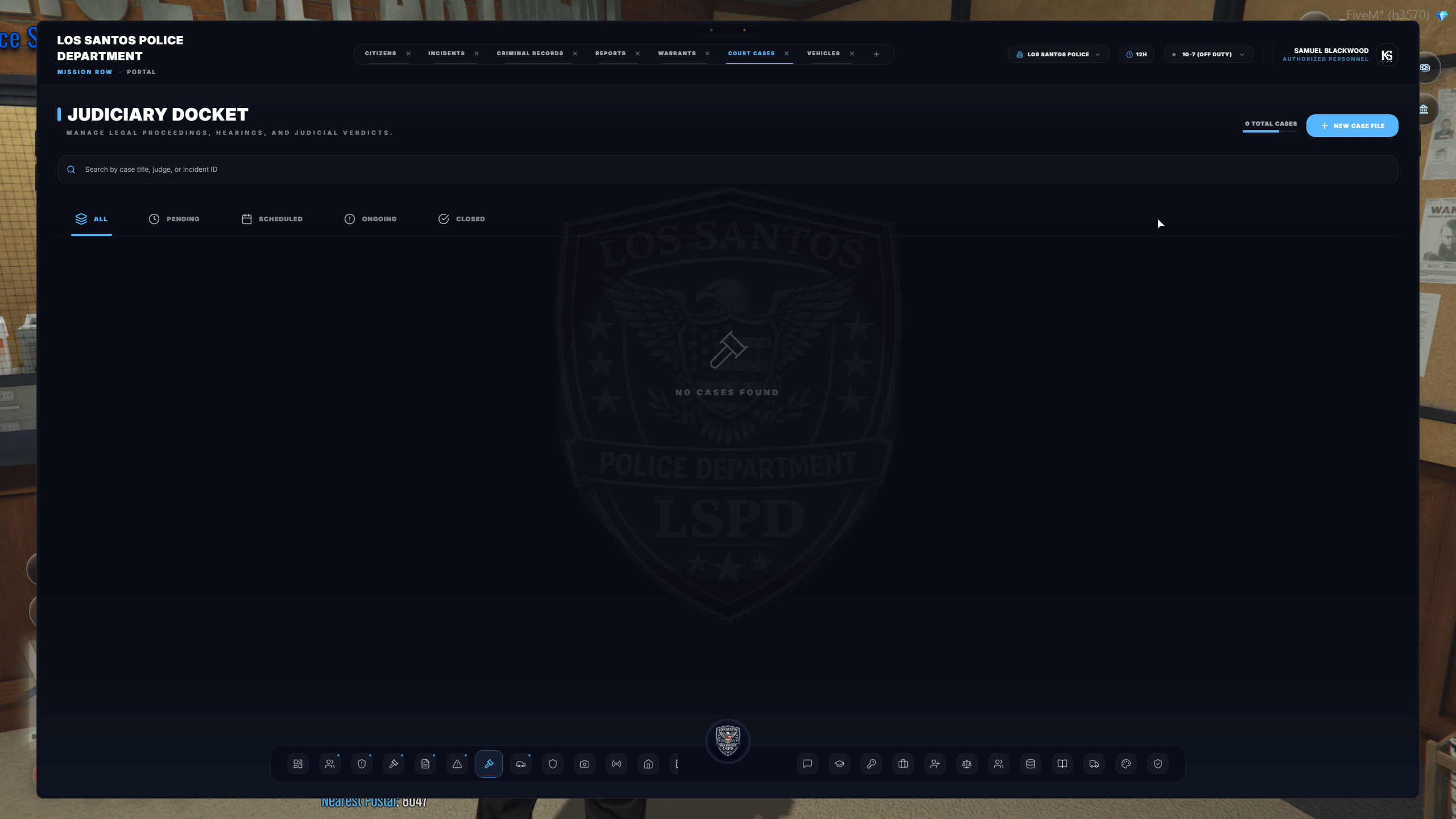
Authorized personnel may create, review, and manage warrants through the MDT.Warrants can be:
- Connected directly to a citizen profile
- Supported by related reports or incidents
- Marked active, served, expired, or otherwise resolved
- Displayed as an alert during related citizen, vehicle, or weapon searches
- Defendants
- Judges
- Prosecutors
- Defense attorneys
- Witnesses
- Filed documents
- Related incidents
- Criminal records
- Court status and final outcome
Vehicle & Firearm Records
Vehicle & Firearm Records
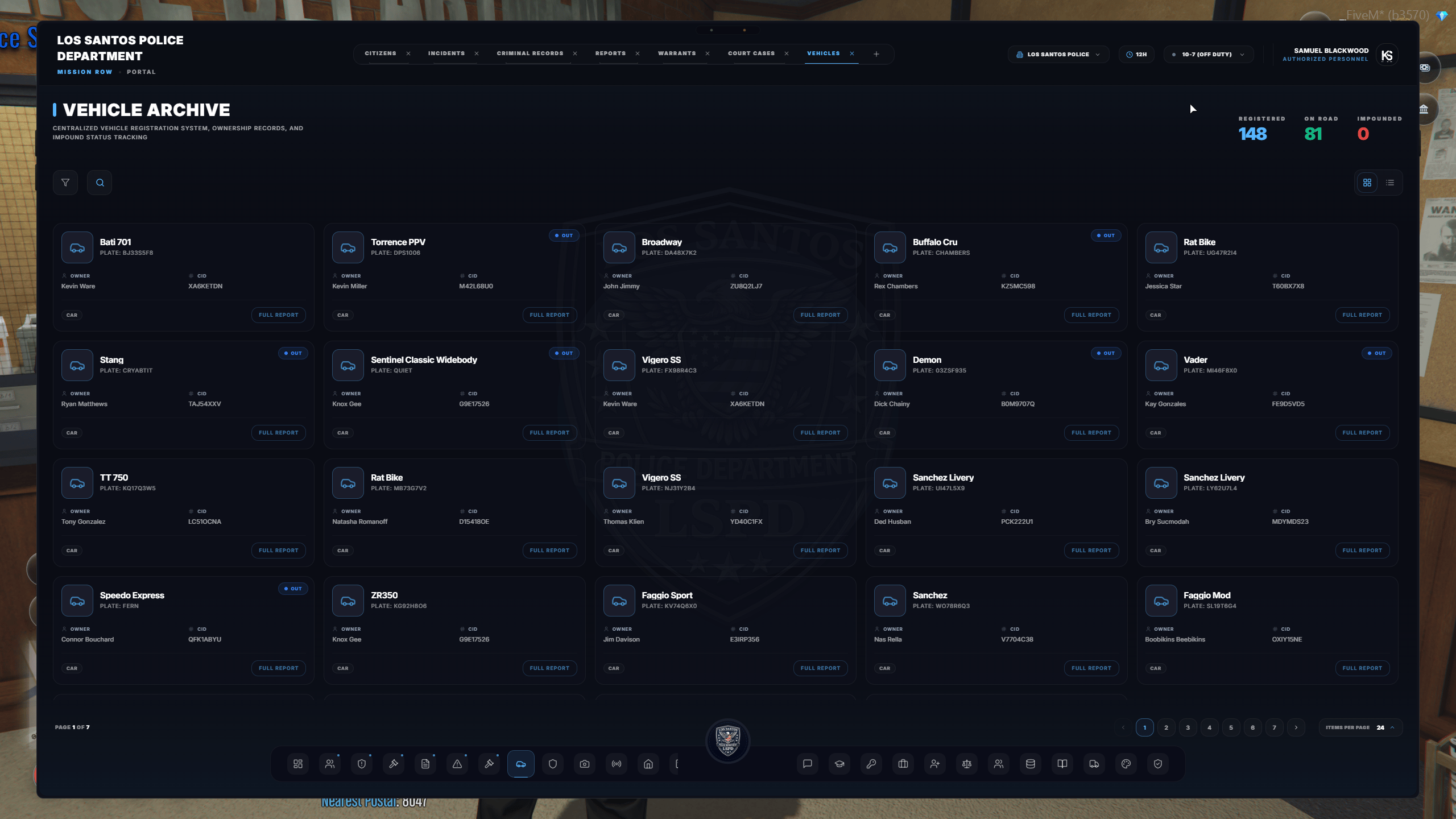
The vehicle registry allows authorized personnel to search by license plate, registered owner, or other available vehicle information.Vehicle records may contain:
- Registered owner
- Ownership history
- Vehicle description
- Active BOLOs or alerts
- Impound history
- Associated reports or investigations
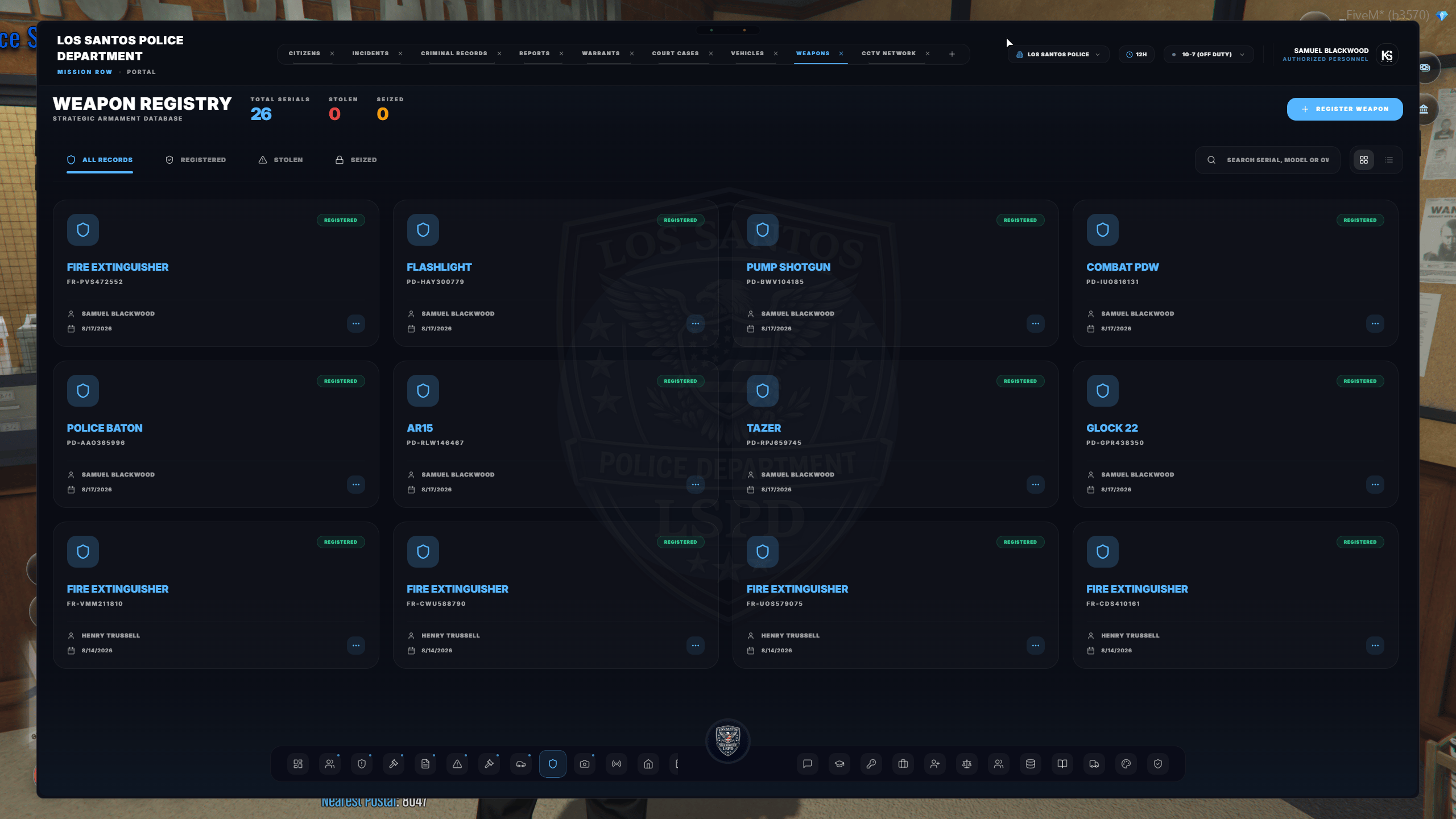
- Search registered weapons
- Verify the registered owner
- Review applicable licensing
- View available weapon information
- Access associated ballistics or investigative records
Property Records
Property Records
Property listings provide a searchable directory of registered properties and their owners.Depending on authorization, property information may include:
- Registered owner
- Property location
- Previous ownership
- Search-warrant history
- Raid history
- Related reports or investigations
Evidence Gallery
Evidence Gallery
The gallery serves as the MDT’s image-based evidence library.Officers can upload, organize, and connect evidence to:
- Incident reports
- Investigative reports
- Citizen profiles
- Warrants
- Court cases
- Department records
CCTV & Bodycam Networks
CCTV & Bodycam Networks
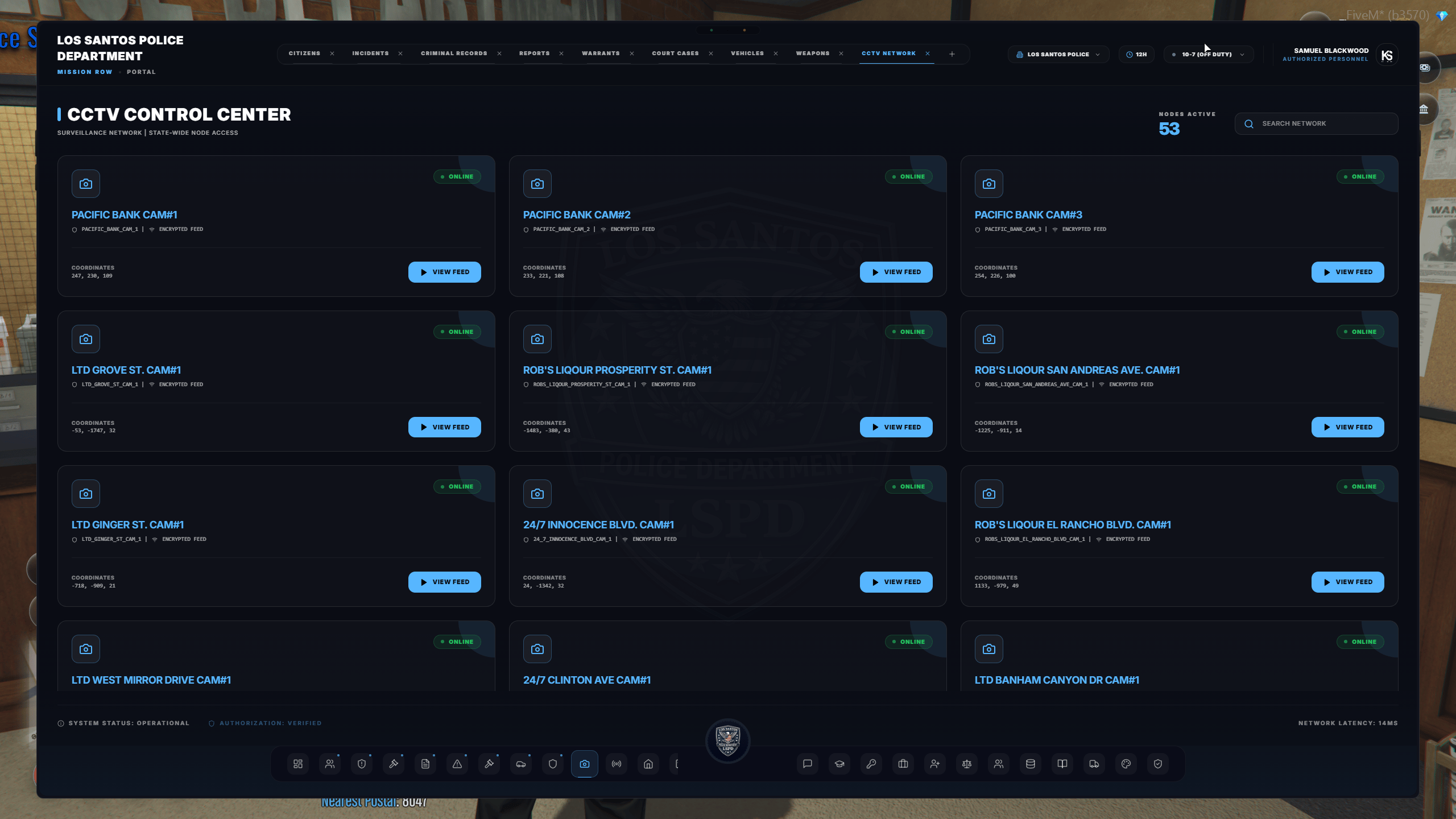
The CCTV network allows authorized personnel to access configured surveillance cameras throughout San Andreas.Available tools may include:
- Individual camera feeds
- Multi-camera grid layouts
- Location-based camera selection
- Monitoring of multiple areas at once
Dispatch System
Dispatch System
The dispatch system operates separately from the main MDT pages, allowing officers to manage calls without keeping the full MDT open.Dispatch features may include:
- Active emergency calls
- Live unit locations
- Unit assignments
- Duty statuses
- Call-status updates
- Side-screen dispatch
- On-foot dispatch
- Silent dispatch calls
- Text-to-speech notifications
Training, Recruitment & Personnel
Training, Recruitment & Personnel
The MDT includes tools for managing personnel from initial recruitment through department advancement.Personnel features may include:
- Department applications
- Applicant interviews
- Field Training Officer Academy
- Cadet progression
- Ride-along documentation
- Evaluations and training notes
- Department examinations
- Rank and certification information
- Department roster
- Shift and activity records
- Department announcements
- Standard Operating Procedures
Department Oversight
Department Oversight
Supervisors and command personnel may receive access to additional management tools.These tools may include:
- Department activity statistics
- Roster management
- Recruitment review
- Department announcements
- Permission and clearance controls
- Apparatus or vehicle check-out records
- Audit logs
- Department settings
- Command dashboards
New and Expanded Features
MDT V2 introduces a number of improvements over the previous system. Equinox may enable these features gradually as configuration and department testing are completed.Live Collaboration
Multiple authorized officers can work within the same report while changes synchronize between connected users.
Expanded Legal System
Incidents, criminal records, warrants, court cases, evidence, and citizen profiles can be connected into one legal record.
Discord Document Exports
Supported reports and records may be exported as formatted PDF or Excel documents and delivered through Discord.
Civilian Portal
Civilians may eventually receive limited access to approved services such as recruitment, personal records, and property information.
Improved Dispatch
Side dispatch, on-foot access, silent calls, live unit tracking, and spoken dispatch notifications improve field coordination.
Department-Wide Platform
The system can support law enforcement, EMS, fire, civilian services, the Department of Justice, and department command.
A feature appearing in the MDT does not automatically mean every department member can access it. Permissions are assigned according to department role, rank, certification, and operational need.
Web MDT — Coming to Equinox
One of the most anticipated additions is the Web MDT. The Web MDT will allow authorized department members to access the MDT through a standard web browser without needing to be connected to FiveM. Expected Web MDT capabilities include:- Reviewing citizen and department records
- Writing and updating reports
- Checking active warrants
- Managing department personnel
- Reviewing the department roster
- Accessing authorized legal records
- Completing administrative work outside the game
- Collaborating on reports with other authorized users
Discord Authentication
Web MDT authentication is handled through Discord. When the Web MDT becomes available:- Navigate to the official Equinox Web MDT address.
- Select the Discord login option.
- Sign in with the Discord account connected to Equinox.
- Authorize the requested identity information.
- The MDT will verify your department access and permissions.
- You will be shown the pages authorized for your department and rank.
Access Outside FiveM
Authorized users will be able to perform supported department work through browsers such as:- Google Chrome
- Microsoft Edge
- Mozilla Firefox
- Other modern desktop browsers
Civilian Access
The planned Civilian MDT is separate from the restricted DPS interface. Civilian access may eventually include:- Viewing approved personal records
- Viewing owned properties
- Submitting department applications
- Reviewing recruitment progress
- Accessing approved public services
Interface Preview
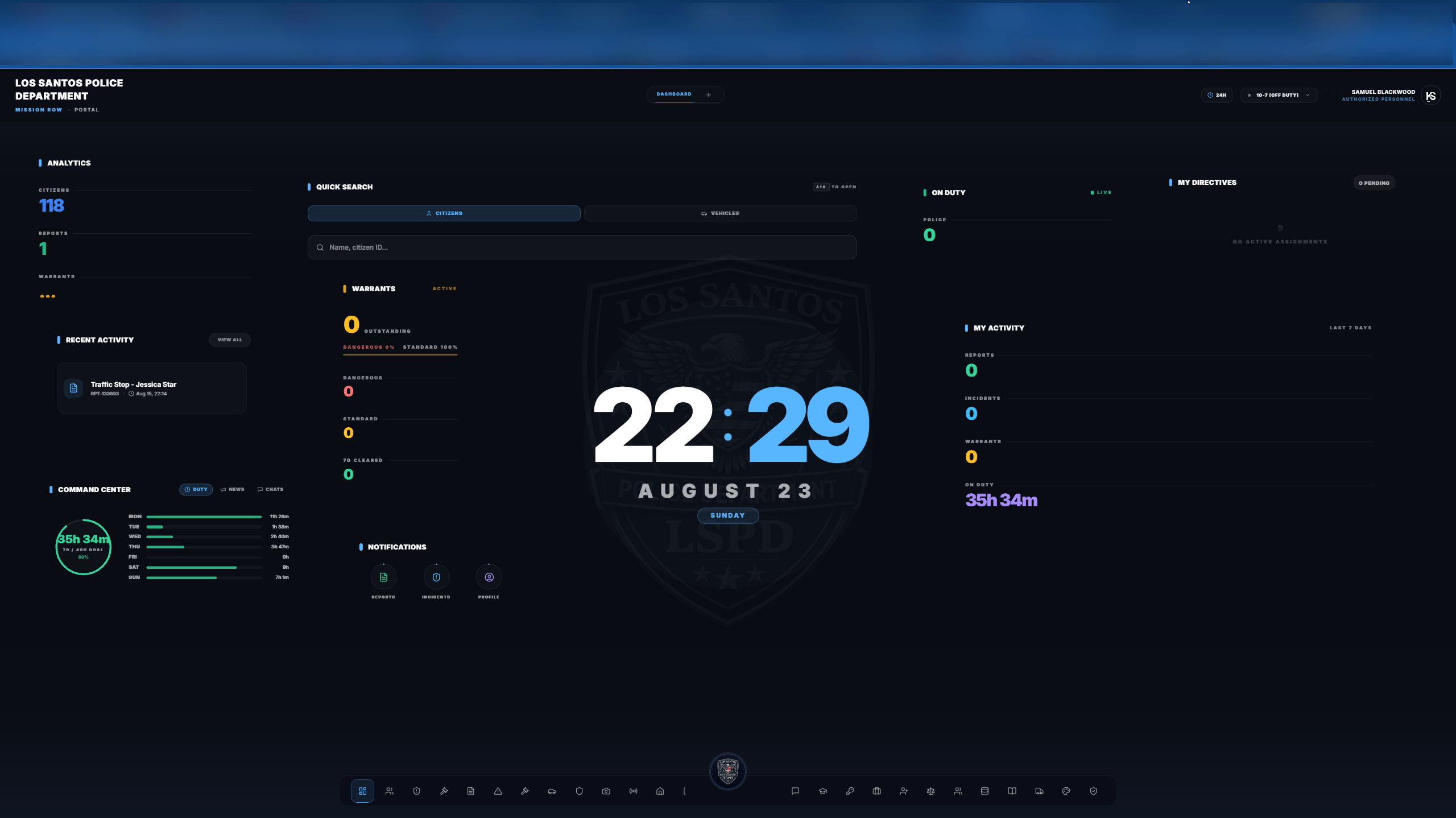
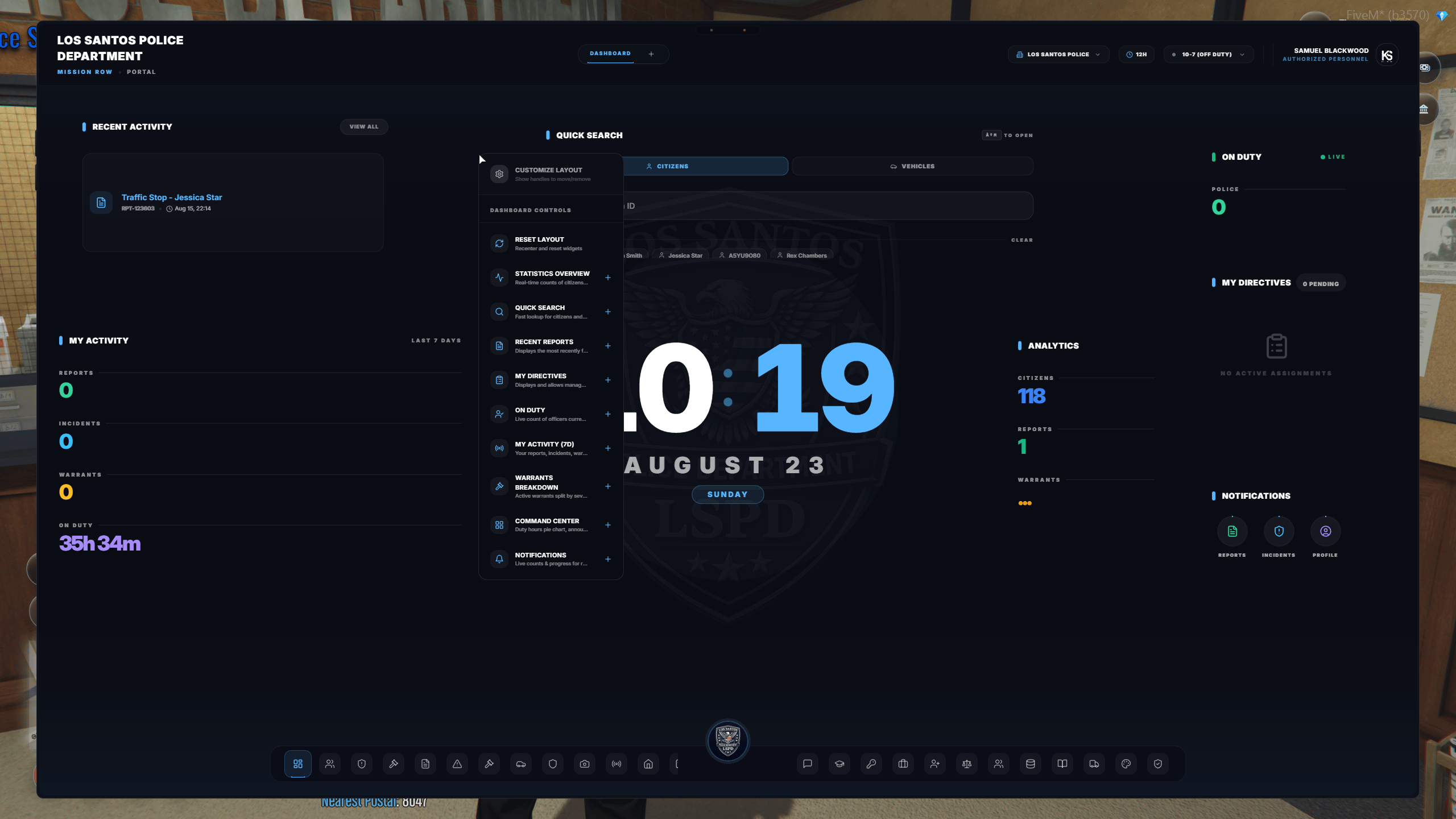
The images below show portions of the MDT V2 interface. Page appearance and available options may vary according to department and permissions.- Preview One
- Preview Two
- Preview Three
- Preview Four